


KEY INSIGHTS
- Insight 1: A comprehensive analysis of why the Apple Watch gets stuck on the logo.
- Insight 2: Multiple solutions are provided for users, along with a guide on contacting Apple support.
- Insight 3: Prevention techniques and commonly asked FAQs.
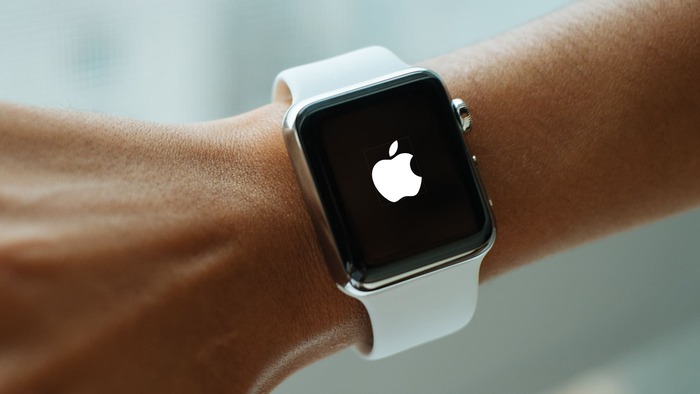
What's the Ideal Scenario Without the Apple Watch Stuck on Apple Logo Issue?
For any user, the ideal scenario with the Apple Watch is an uninterrupted experience. The Apple Watch, hailed for its seamless integration with the iPhone and its stand-alone features, should boot up smoothly.
This not only means displaying all the user's applications and settings but also syncing health, reminders, messages, and other vital notifications without a glitch. A problem-free boot-up is essential for optimizing the features and utilities Apple Watch offers.

Case Study: When Does the Apple Watch Stuck on Apple Logo Error Happen?
Multiple instances can lead to this issue, as seen from various user reports across tech forums. A particularly noteworthy example was a user on Reddit.
They detailed their experience with the Apple Watch, where during a crucial software update, the device froze. It got stuck on the Apple logo, refusing to move beyond that. Several restart attempts did not change the outcome. This posed a disruption in their daily tasks, especially those tied to health metrics and communications.
Initial Diagnosis: Have You Tested These Measures?
Before approaching advanced solutions, simple troubleshooting steps can sometimes work wonders:
- Ensure the watch has a sufficient battery. A severely depleted battery might not allow the watch to start properly.
- Restart the watch. This can help in resetting any minor software glitches.
- Inspect the watch for any visible physical damages, especially around the screen and buttons.

The Significance of Rectifying Apple Watch Stuck on Apple Logo:
Left unaddressed, the stuck logo issue can render an Apple Watch redundant. It's not just about the inability to access the time; the watch contains essential data such as fitness tracking, health metrics, notifications, reminders, and more.
For many, the watch plays a crucial role in their daily routine, from workouts to medication reminders. Hence, resolving this issue is paramount for ensuring the smooth functioning of daily activities.
Interactive Guide: Top Functional Strategies to Address Apple Watch Stuck on Apple Logo:
SOLUTION 1: Hard Reset While on Charger
- Place the watch on its official charger to ensure a stable power source.
- Press and hold the side button and crown together for about 10 seconds.
- Once you see the Apple logo reappear, release the buttons. This will force the watch to restart, potentially bypassing any glitches causing the freeze.

SOLUTION 2: Test With Another Charger
- At times, the issue might be with the charger and not the watch. Disconnect from the current charger.
- Try a different, authentic Apple Watch charger that you know works well.
- Monitor if the watch starts up normally after the switch.

SOLUTION 3: Update Watch Using iPhone
- Open the Apple Watch app on your iPhone.
- Tap the ‘My Watch' tab and then ‘General'.
- Select ‘Software Update' and download any available updates. This can sometimes fix the stuck logo issue.

SOLUTION 4: Contact Apple Support
If you've tried multiple solutions without success, it's wise to seek professional assistance.
Apple Support provides a comprehensive guide, and its technicians can diagnose issues that might not be apparent to regular users. Whether through their official website or in person at an Apple Store, you're sure to get expert guidance.

How to Prevent Apple Watch Stuck on Apple Logo Error in the Future:
Preventive measures are always better than reactive solutions. To avoid facing this issue in the future:
- Always update the watchOS whenever a new update is available. This ensures that you have the latest bug fixes.
- Avoid letting the watch battery completely drain out. Recharge it when it's below 10%.
- Handle the device with care. Physical shocks can damage internal components leading to software malfunctions.
Final Thoughts:
While the Apple Watch is a marvel of technology, like all gadgets, it's not immune to issues. The logo freeze can be disconcerting, but it's not insurmountable.
With the right approach, users can quickly get their watch back to optimal performance. Remember, always back up essential data and consider reaching out to Apple Support for persistent problems.
FAQs
1. Can a software update cause my Apple Watch to get stuck on the logo?
Indeed, while updates are meant to fix bugs, sometimes they can introduce new issues. An interrupted update or an unknown software glitch can lead to the Apple Watch getting stuck on the logo.
2. How long should I charge my Apple Watch before attempting a reset?
To ensure the reset process is not hampered by low battery, it's advisable to charge the watch for a minimum of 30 minutes to an hour before trying any reset techniques.
3. What if none of the solutions work?
If you've tried all the solutions and the problem persists, it might be a more intricate issue that requires professional attention. It's recommended to get in touch with Apple Support or visit an Apple Store for assistance.
