


Key Insights
- We're tackling the universal question of “Why is my internet not working?”
- Discover simple and effective solutions to address and resolve your internet troubles.
- Understand the factors that can affect your internet connectivity.
- Learn about advanced troubleshooting steps to ensure a stable connection.
- Find out preventative measures to keep your internet running smoothly.
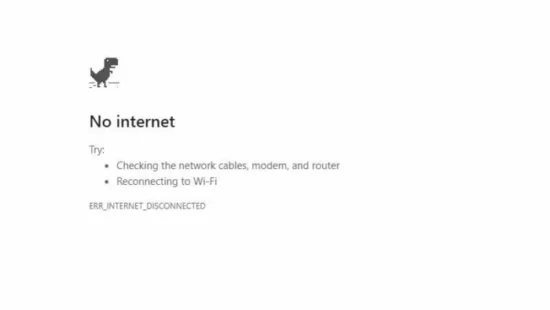
What's the Ideal Scenario Without the ‘Why Is My Internet Not Working' Issue?
In an ideal world, the internet works flawlessly all the time, providing us with seamless access to information, entertainment, social connectivity, and business resources.
You would simply open your device, click on a browser or an app, and get connected instantly. Video calls would be clear and lag-free, online games wouldn't freeze, and pages would load in the blink of an eye. Unfortunately, many of us often experience the all-too-familiar scenario where the internet is not working as it should.
Case Study: When Does the ‘Why Is My Internet Not Working' Error Happen?
Consider Jane, a freelance graphic designer who relies on her internet connection for everything – meeting clients, downloading heavy files, and streaming music for relaxation.
One day, her internet starts acting up, causing delayed downloads, buffering streams, and even complete disconnects. She tries everything she can think of but is left wondering, “Why is my internet not working?”

Initial Diagnosis: Have You Tested These Measures?
Before diving into detailed solutions, it's crucial to verify basic connectivity settings.
- Check if your device is properly connected to the Wi-Fi or ethernet cable.
- Validate if your router and modem are powered on and functioning correctly.
- Verify if other devices can connect to the same network.
The Significance of Rectifying ‘Why Is My Internet Not Working:
In today's digital age, the internet plays a vital role in various aspects of our lives, from professional tasks to personal entertainment.
A problematic internet connection can lead to missed deadlines, communication breakdowns, or even financial losses for businesses relying heavily on it. Therefore, addressing and rectifying internet issues is of utmost importance.
Interactive Guide: 7 Functional Strategies to Address ‘Why Is My Internet Not Working:
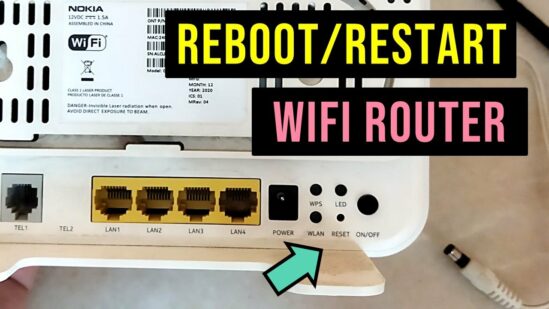
Solution 1: Restart Your Modem and Router
Often, the first and most effective solution to many tech issues, including internet connectivity, is restarting or power cycling your devices.
- Turn off your modem and router.
- Wait for at least 30 seconds.
- Power them back on and wait until they restart completely.
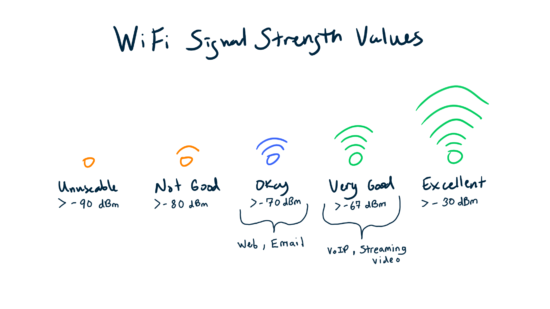
Solution 2: Check Your Wi-Fi Signal
Weak Wi-Fi signals can result in slow or non-existent internet connections.
- Ensure your device is within range of your router.
- Avoid physical obstructions between your device and the router.
- Consider using a Wi-Fi extender for larger spaces.
Solution 3: Update Your Network Driver
An outdated or faulty network driver can cause connectivity issues.
- Update your network driver via Device Manager on your Windows computer.
- Consider using an automatic driver update tool to simplify the process.

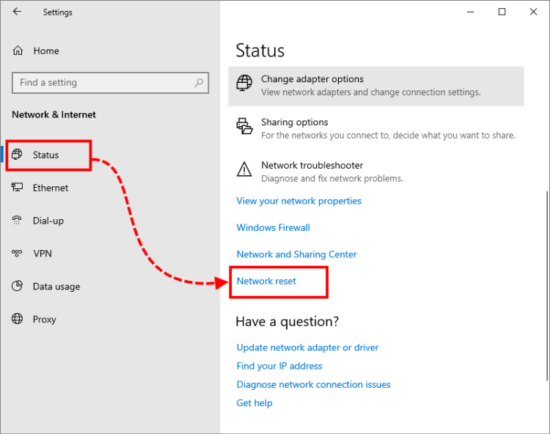
Solution 4: Reset Your Network Settings
Resetting your network settings can solve problems arising from incorrect configuration.
- On Windows, use the “Network Reset” feature in Settings.
- On macOS, remove and re-add your network in Network Preferences.
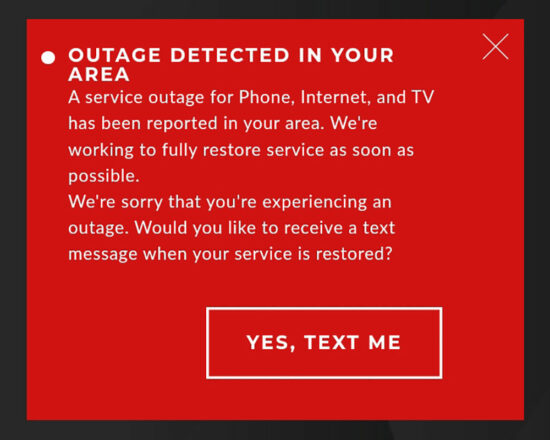
Solution 5: Check for Service Outage
If your internet is down, it might be due to a service outage from your provider.
- Check your provider's website or social media pages for outage information.
Solution 6: Try a Different Browser or Device
If the issue persists on a particular browser or device, the problem could be with that browser or device.
- Test the internet connection on a different browser or device.
Solution 7: Contact Your Internet Service Provider (ISP)
If all else fails, it might be time to get your ISP involved.
- Contact your ISP's support line and describe your issue.

How to Prevent ‘Why Is My Internet Not Working' Error in the Future
Maintaining your hardware, updating your software regularly, and monitoring your internet usage can help prevent future connectivity issues. You can also use network monitoring tools to keep an eye on your network's health.
FAQs
Why is my internet not working on only one device?
This could be due to issues specific to that device, like outdated network drivers, incorrect network settings, or hardware problems.
What do I do if my internet is not working even after restarting my router and modem?
Try other solutions like checking your Wi-Fi signal, updating your network driver, resetting network settings, or contacting your ISP.
Can a virus cause my internet to stop working?
Yes, certain types of malware can disrupt your internet connection.
How can I check if my ISP is down?
You can check your ISP's website or social media channels for service outage updates.
What are some tools to troubleshoot my internet connection?
Some common tools include network monitoring software, automatic driver update tools, and Wi-Fi signal strength analyzers.
