


Key Insights
- Understand the issue of Instagram displaying ‘something went wrong'.
- A step-by-step guide to resolving the issue.
- Preventive measures to avoid future occurrences of the problem.

What's the Ideal Scenario Without the Instagram ‘Something Went Wrong' Issue?
Without the ‘Instagram something went wrong' issue, users would enjoy a seamless and uninterrupted experience on the platform. They could post images, videos, and stories, like and comment on others' posts, update their bio, follow new accounts, and explore new content without hindrance.
When Does Instagram ‘Something Went Wrong' Error Occur?
The error commonly pops up when users attempt to perform actions such as liking a post, commenting, following or unfollowing accounts, updating their bio, and especially when trying to boost posts. The error isn't limited to a specific action and can occur at any time, causing inconvenience to the user.
Basic Troubleshooting: Have You Tried These Steps?
Before delving into more detailed solutions, performing some basic troubleshooting steps is crucial. These include restarting your device, updating the Instagram app to the latest version, or even reinstalling the app. If the issue persists, you might have to dive deeper into more specific solutions.
Why It's Important to Resolve Instagram ‘Something Went Wrong'
If the ‘Instagram something went wrong' error is not resolved, users might find it challenging to interact and engage with content on the platform. This could potentially impact the reach and engagement of their posts, limiting their social interactions.
5 Practical Solutions to Fix Instagram ‘Something Went Wrong'
SOLUTION 1: Clear Cache and Data
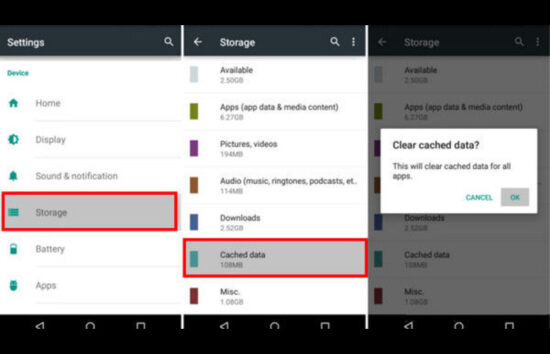 Clearing cache and data can sometimes resolve the issue. Here's how you can do it:
- Open Settings on your device.
- Go to the Applications or Apps section.
- Find and click on Instagram.
- Tap on Storage.
- Click on Clear Cache and then Clear Data.
SOLUTION 2: Check Your Internet Connection
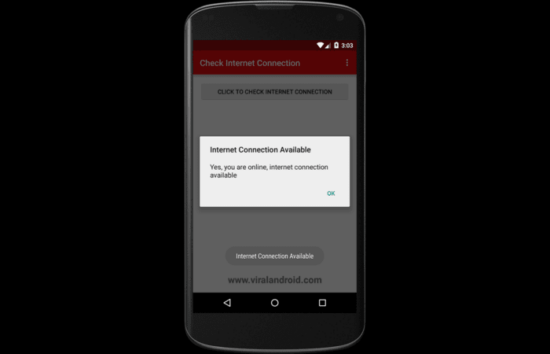 A poor internet connection could also cause the error. Ensure your device is connected to a stable internet connection. If you're using Wi-Fi, try switching to mobile data or vice versa.
SOLUTION 3: Update the Instagram App
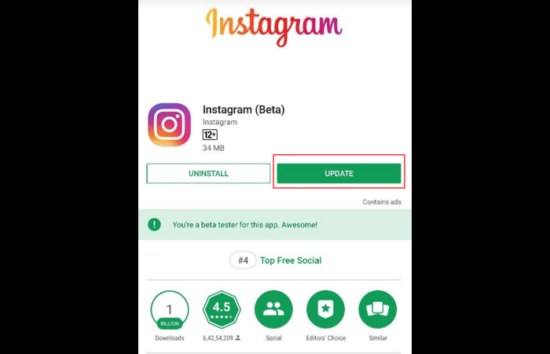 Updating the Instagram app could potentially fix the issue. Navigate to your device's App Store or Google Play Store, search for Instagram, and click Update if available.
SOLUTION 4: Reinstall the Instagram App
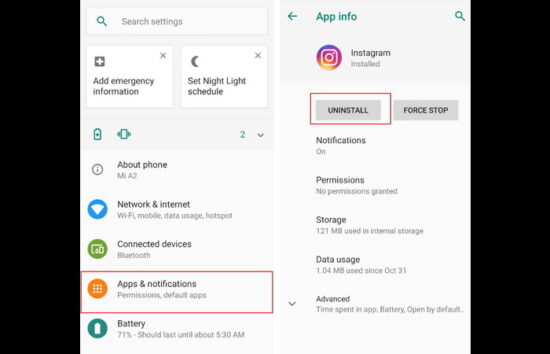
Sometimes, reinstalling the app can help fix any issues. Here's how you can do it:
- Long press the Instagram app icon on your device.
- Tap on Uninstall or Move to Bin.
- Go to the App Store or Google Play Store.
- Search for Instagram and install it.
SOLUTION 5: Contact Instagram Support
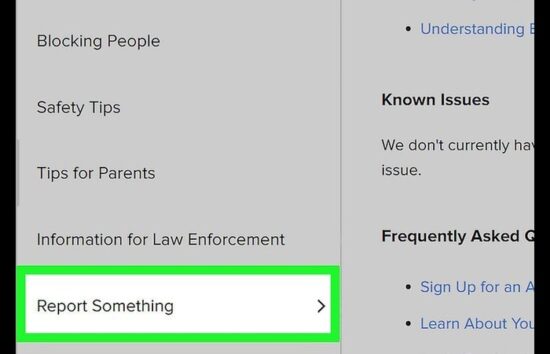 If all else fails, consider reaching out to Instagram Support. You can do this by going to your profile, clicking on the menu icon, selecting ‘Settings', ‘Help', and then ‘Report a Problem'.
How to Prevent Instagram ‘Something Went Wrong' Error in the Future
To prevent future occurrences of this issue, ensure that you're always using the latest version of the Instagram app. Regularly clear your app cache, and maintain a stable internet connection when using Instagram. If the problem persists, consider using Instagram on a different device or web browser.
Conclusion
While the ‘Instagram something went wrong' error can be a hassle, these steps should help you resolve the issue and get back to enjoying your Instagram experience. Remember, a stable internet connection and app updates are critical to a smooth Instagram experience.
Frequently Asked Questions (FAQs) About Instagram ‘Something Went Wrong'
Why does Instagram say ‘something went wrong'?
There could be several reasons for this error, including a poor internet connection, an outdated app version, or issues with Instagram's servers.
How do I fix ‘something went wrong' on Instagram?
Try basic troubleshooting steps like restarting your device, checking your internet connection, updating the app, or reinstalling Instagram. If the problem persists, contact Instagram Support.
Can I prevent the ‘Instagram something went wrong' error?
Keeping your app updated, clearing your app cache regularly, and ensuring a stable internet connection can help prevent this error.
What if none of the solutions work?
If none of the keys work, contact Instagram Support for further assistance.
Does this issue occur only on iPhones?
No, while the problem is more prevalent on iPhones, it can appear on any device where Instagram is used.
